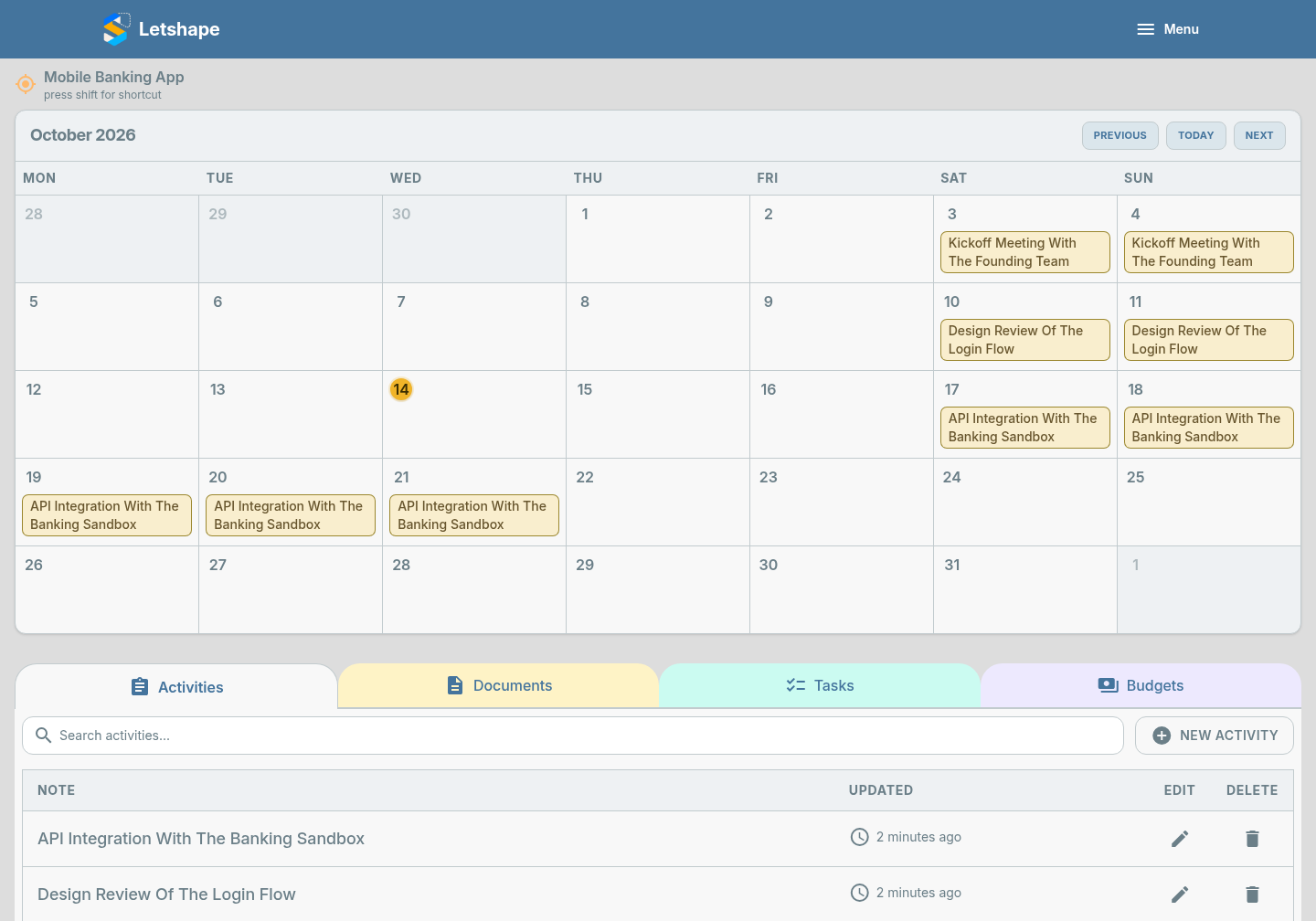
An activity is a note about something happening on the project — a meeting, a piece of work, a decision. Activities are the diary of your project.
Add an activity
- Open the project and stay on the Activities tab.
- Click New Activity.
- Type a clear Note, for example "Kickoff meeting with the team".
- Click Submit.
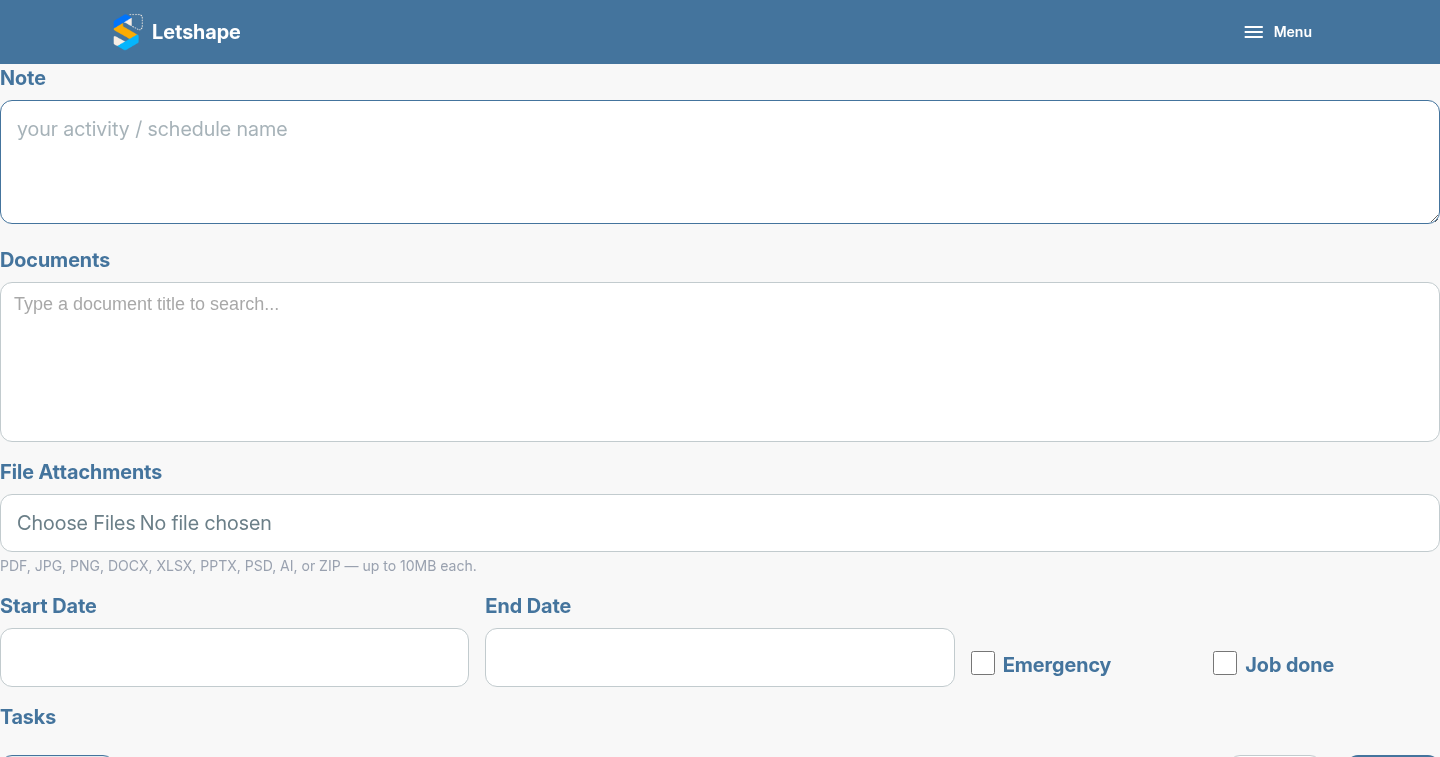
Useful options on the form
- Emergency — flag something urgent so it stands out.
- Job Done — mark the activity complete.
- Tasks — add small to-dos without leaving the form.
See it in the list
The activity appears in the Activities tab, newest first, with an edit and delete button on each row.